
Understanding how to pause your Power XL Air Fryer is essential for achieving perfectly cooked food and for making adjustments mid-cook. This guide explains the simple steps to pause, what you can do while it’s paused, and how to resume cooking for delicious results. Mastering this feature ensures greater control and flexibility in your air frying adventures.
How to Pause Power Xl Air Fryer
Welcome to the ultimate guide on mastering your Power XL Air Fryer! If you’re a fan of crispy fries, perfectly cooked chicken, and delicious roasted vegetables, you know that your air fryer is a game-changer in the kitchen. But what happens when you need to check on your food, shake the basket, or maybe add an ingredient midway through cooking? That’s where knowing how to pause your Power XL Air Fryer comes in handy. This seemingly small feature offers a lot of control and can be the difference between good and great results.
In this comprehensive guide, we’ll walk you through everything you need to know about pausing your Power XL Air Fryer. You’ll learn the simple steps to initiate a pause, what actions you can take while it’s paused, and how to seamlessly resume cooking. We’ll also touch upon why this feature is so useful and offer some practical tips to make your air frying experience even more enjoyable. Let’s get your Power XL Air Fryer working for you in every way possible!
Key Takeaways
- Easy Pausing: Most Power XL Air Fryers can be paused by simply pressing the power button once or by opening the air fryer basket.
- Safety First: Always exercise caution when opening the basket or interacting with the appliance during operation.
- Mid-Cook Adjustments: Pausing allows you to check food, shake the basket, add ingredients, or adjust cooking time and temperature.
- Resuming Quickly: Closing the basket or pressing the power button again will usually resume the cooking cycle.
- Power Cycle Differences: Some models may have a dedicated pause button, while others rely on the basket mechanism or power button.
- Troubleshooting Common Issues: If pausing or resuming isn’t working as expected, check power connections and refer to your model’s manual.
Understanding the Pause Functionality
Before diving into the “how-to,” it’s helpful to understand why and how the pause function works on Power XL Air Fryers. Unlike a simple on/off switch, the pause feature is designed to temporarily halt the cooking process without completely resetting the appliance. This is incredibly useful for a variety of cooking scenarios.
Imagine you’re air frying some delicious chicken wings. You want them extra crispy, so you decide to shake the basket halfway through. Or perhaps you’re cooking something that requires flipping, like a porterhouse steak. You need a moment to safely turn it over. In these situations, a quick pause is exactly what you need. It allows you to interact with your food without interrupting the entire cooking cycle. This feature is built into most modern air fryers for convenience and to help achieve optimal cooking results.
How to Pause Your Power XL Air Fryer
Pausing your Power XL Air Fryer is typically a straightforward process, but it can vary slightly depending on the specific model you own. Most models are designed with intuitive controls that make this easy. We’ll cover the most common methods.
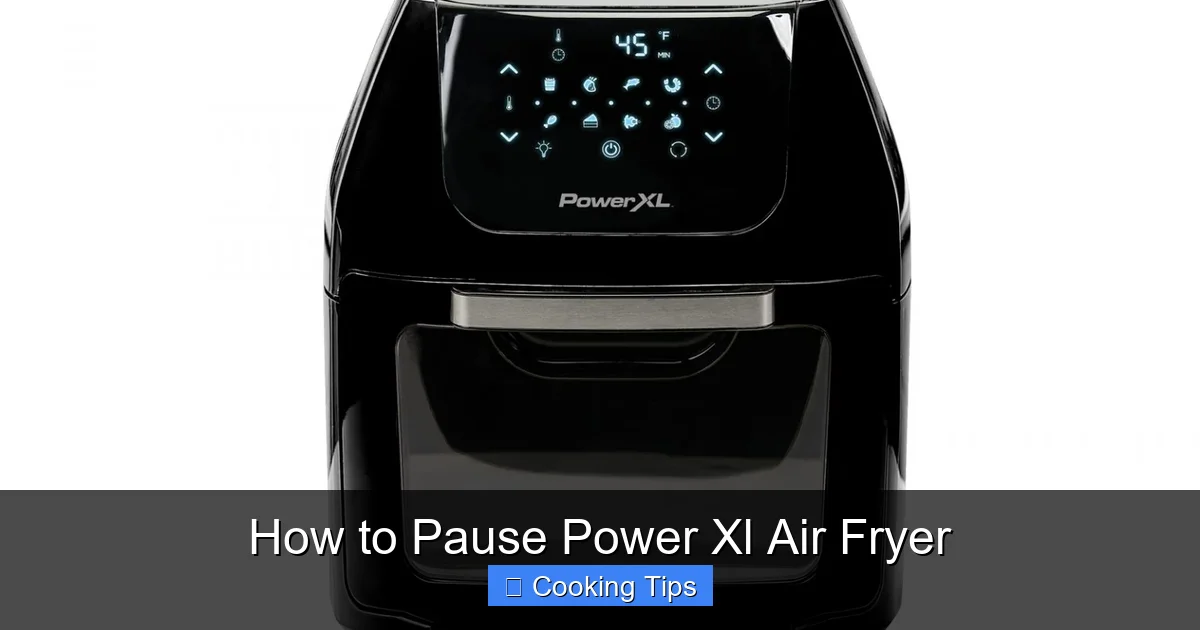
Visual guide about How to Pause Power Xl Air Fryer
Image source: support.powerxlproducts.com
Method 1: Opening the Air Fryer Basket
This is the most common and often the most intuitive way to pause your Power XL Air Fryer. The air fryer is designed to automatically stop its heating and fan functions when the basket is pulled out. This is a safety feature to prevent hot air from escaping unnecessarily and to stop the cooking process while you access the food.

Visual guide about How to Pause Power Xl Air Fryer
Image source: ceravision.com
Step-by-Step Instructions
- Observe the Cooking: Keep an eye on your food as it cooks. You might notice it needs a shake, a flip, or perhaps you want to check its doneness.
- Grasp the Handle: Locate the handle of the air fryer basket. Ensure you have a firm grip.
- Pull Out the Basket: Gently but firmly pull the basket straight out from the air fryer unit. You should hear a click or notice that the fan and heating element have stopped. The display might also indicate it’s paused or simply go blank for a moment before showing the paused state.
- Perform Necessary Actions: Once the basket is out and the appliance is paused, you can safely check your food, shake the basket, add seasonings, flip items like bone-in chicken breast, or add other ingredients if your recipe calls for it.
Practical Tip: Always use oven mitts or a heat-resistant pad when pulling out the basket, as the basket and the food inside will be very hot.
Method 2: Using the Power/Start-Stop Button
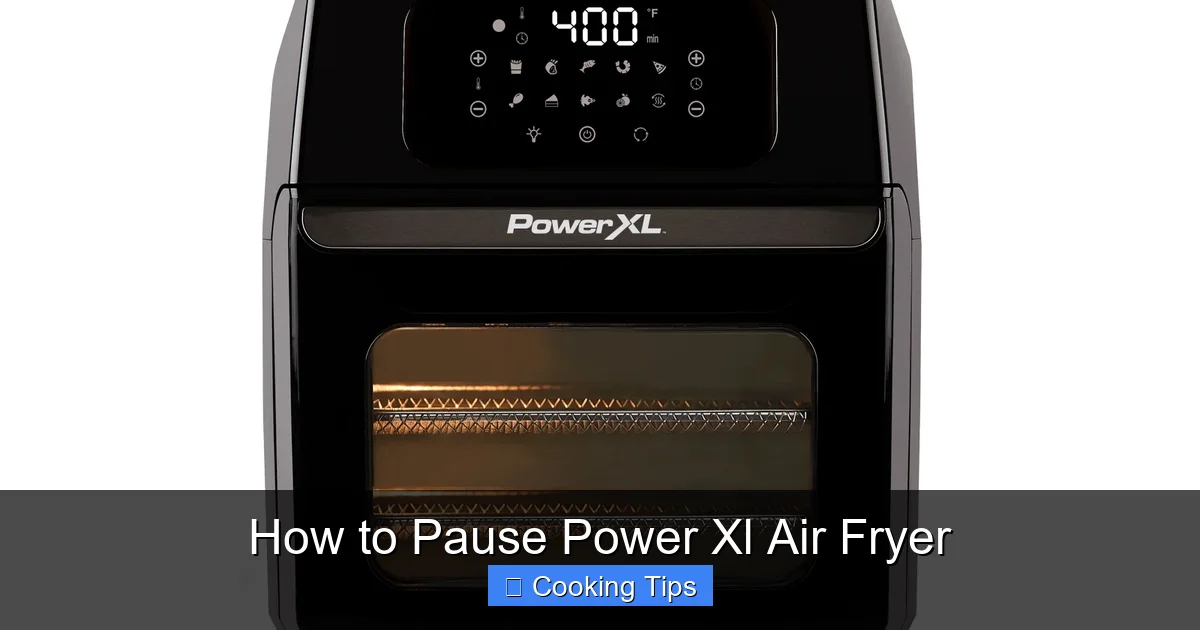
Some Power XL Air Fryer models may have a dedicated button or a button that serves a dual purpose for starting and stopping the cooking cycle. Pressing this button once while the unit is in operation will often put it into a paused state.
Visual guide about How to Pause Power Xl Air Fryer
Image source: support.powerxlproducts.com
Step-by-Step Instructions
- Identify the Button: Locate the “Power,” “Start/Stop,” or similar button on your air fryer’s control panel. Refer to your user manual if you’re unsure.
- Press the Button Once: While the air fryer is actively cooking, press this designated button one time.
- Observe the Display: The display should change to indicate that the unit is paused. This might involve the timer freezing, a pause icon appearing, or the display dimming. The fan and heating element should stop.
- Make Adjustments: Once paused, you can proceed with checking your food, shaking the basket, or any other necessary adjustments.
Example: If you’re making hot dogs and want to turn them for even cooking, but you don’t want to remove the basket, pressing the Start/Stop button can be a convenient way to pause. Then, you can carefully open the basket to flip them.
Method 3: Dedicated Pause Button (Less Common)
While not as prevalent on all Power XL models, some advanced units might feature a specific “Pause” button. This button is solely dedicated to temporarily halting the cooking cycle.
Step-by-Step Instructions
- Locate the Pause Button: Find the button clearly labeled “Pause” on your air fryer’s control panel.
- Press the Pause Button: With the air fryer in its cooking cycle, press the “Pause” button.
- Confirm Pause: The unit should immediately stop cooking, and the display will indicate a paused state.
- Carry Out Tasks: Proceed with whatever action necessitates the pause.
Note: If your model does not have a dedicated pause button, it will likely rely on the basket removal or the Start/Stop button method described above.
What You Can Do While Your Air Fryer is Paused
Pausing your Power XL Air Fryer opens up a world of possibilities for fine-tuning your cooking. It’s not just about stopping the heat; it’s about giving you the flexibility to ensure your meal is perfect.
Checking Doneness and Appearance
This is perhaps the most common reason to pause. You can safely pull out the basket and visually inspect your food. Is your beef patty browned enough? Are your vegetables tender but not mushy? This allows you to make informed decisions about whether your food is ready, needs more time, or requires a slight adjustment.
Shaking or Tossing Ingredients
For items like fries, chicken nuggets, or vegetables, shaking the basket is crucial for even browning and crisping. Pausing allows you to safely remove the basket, give it a good shake, or use tongs to toss the ingredients, ensuring every piece gets that desirable crispy exterior. This is especially helpful when cooking items like waffle fries.
Flipping or Turning Food
Certain foods, like steaks, chops, or larger pieces of meat, benefit from being flipped midway through cooking. Pausing gives you the opportunity to safely open the basket and turn these items over for consistent cooking on all sides. This is vital for achieving a perfect sear and ensuring the inside is cooked through, similar to how you might handle a pork steak.
Adding Ingredients
Sometimes, you might want to add extra seasonings, a sauce, or even another ingredient partway through the cooking process. Pausing your air fryer makes this safe and easy. For instance, if you’re making Tyson chicken nuggets and want to add some spices for a different flavor, you can pause, sprinkle them on, and resume.
Adjusting Temperature or Time
While paused, some models allow you to adjust the pre-set temperature or time if you feel your initial settings need tweaking. This gives you an added layer of control, especially if you’re experimenting with a new recipe or cooking something delicate.
How to Resume Cooking After Pausing
Once you’ve completed your adjustments or checks, the next logical step is to resume cooking. Fortunately, this is usually just as simple as pausing.
Method 1: Resuming by Closing the Basket
If you paused by pulling out the basket, the simplest way to resume is to slide the basket back into the air fryer. The appliance is designed to detect when the basket is properly reinserted and will automatically continue the cooking cycle based on the previous settings.
Step-by-Step Instructions
- Ensure All Adjustments Are Made: Double-check that you’ve finished shaking, flipping, or adding ingredients.
- Carefully Reinsert Basket: Align the basket with its slot and gently slide it back into the air fryer until it’s fully seated.
- Confirm Resumption: The timer should start counting down again, and you should hear the fan and feel the heat resume. The display will likely show the remaining cooking time.
Important: Make sure the basket is fully inserted. If it’s slightly ajar, the air fryer may not resume cooking, or it might revert to a standby mode.
Method 2: Resuming with the Power/Start-Stop Button
If you used the Power/Start-Stop button to pause, you’ll typically use the same button to resume. After making your adjustments, press the button again.
Step-by-Step Instructions
- Complete Your Tasks: Ensure you’re finished with any food manipulation.
- Press the Button Again: Locate and press the “Power” or “Start/Stop” button once more.
- Verify Resumption: The cooking timer should restart, and the unit will resume its heating and fan functions.
Tip: Some models might require you to press the “Start” button specifically after pausing via the Start/Stop button if it has distinct start and stop functions.
Method 3: Resuming with a Dedicated Pause Button
If your model has a dedicated “Pause” button, resuming is usually done by pressing the “Start” or “Start/Stop” button. The exact mechanism can vary, so consult your manual.
Step-by-Step Instructions
- Finish Adjustments: Ensure all necessary actions are complete.
- Press the Start Button: Press the “Start” or “Start/Stop” button to resume the cooking cycle.
- Check for Activity: Confirm that the timer is running and the air fryer is heating up again.
Troubleshooting: What If It Doesn’t Pause or Resume?
While Power XL Air Fryers are generally reliable, you might occasionally encounter issues. If your air fryer doesn’t pause when you expect it to, or if it won’t resume after you’ve tried, here are a few things to check:
Check the Power Connection
Ensure the air fryer is securely plugged into a working power outlet. A loose connection can cause unexpected behavior.
Verify Basket Insertion
For models that pause upon basket removal, make sure the basket is correctly and fully seated when you try to resume. If it’s not clicked in place, the sensor might not recognize it’s been reinserted.
Consult Your User Manual
Every Power XL Air Fryer model can have slightly different operating procedures. Your user manual is the best resource for specific instructions on pausing and resuming for your particular model. It will clarify which button to press or how the basket mechanism functions.
Check for Error Codes
Some air fryers display error codes if there’s a malfunction. Refer to your manual to interpret any codes shown on the display.
Contact Customer Support
If none of the above solutions work, there might be an internal issue with the appliance. It’s best to contact Power XL customer support or the retailer where you purchased it for further assistance or to inquire about warranty service.
Tips for Effective Pausing and Resuming
To get the most out of your Power XL Air Fryer’s pause function, keep these tips in mind:
- Don’t Over-Pause: While pausing is useful, frequently pausing and resuming can sometimes affect the overall cooking time and evenness. Try to consolidate your checks and adjustments into one or two pauses if possible. For example, when making a cake, you generally don’t need to pause it unless you’re checking for doneness near the end.
- Be Quick: Minimize the time the basket is out or the unit is paused. The longer it’s open, the more heat escapes, and the longer your cooking will take. Aim for efficiency in your checks and adjustments.
- Know Your Recipe: Understand if your recipe requires flipping or shaking. For instance, cooking bacon in an Instant Pot air fryer might benefit from a shake or two to ensure crispiness.
- Safety First: Always handle hot baskets with care and keep children and pets away from the appliance while it’s in use.
Conclusion
Mastering the pause function on your Power XL Air Fryer is a simple yet powerful technique that elevates your air frying game. Whether you’re pausing to shake your fries, flip your chicken, or add a final sprinkle of herbs, this feature provides the control you need for perfectly cooked meals every time. By understanding the different methods for pausing and resuming, and by following these practical tips, you can confidently use your Power XL Air Fryer to create delicious dishes with ease.
Don’t be afraid to experiment and get comfortable with this feature. It’s designed to make your cooking experience smoother and more enjoyable. Happy air frying!